
 By admin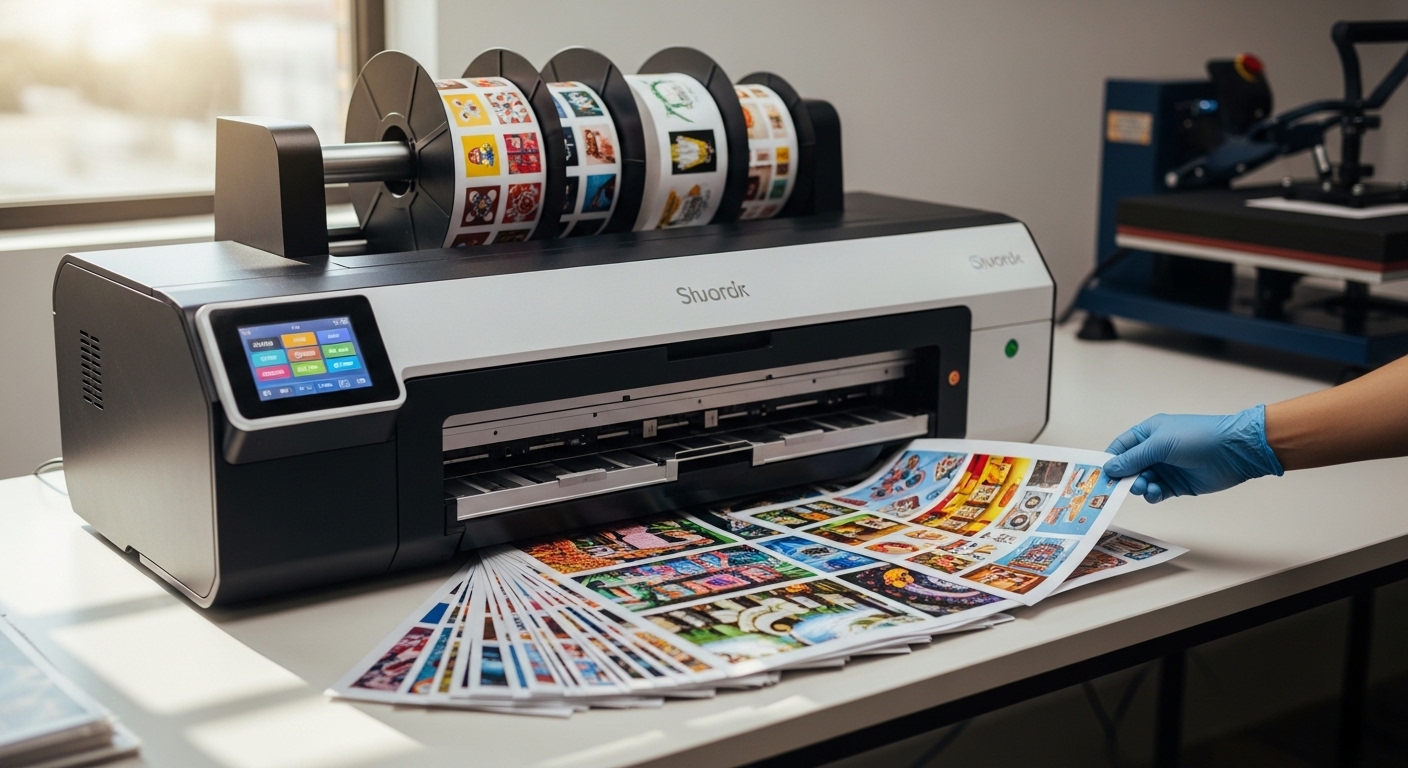
A sublimation printer is revolutionizing the way businesses and hobbyists approach custom printing. Unlike traditional printers, sublimation printers transfer designs directly onto materials using heat, resulting in vibrant, long-lasting images. This technology is widely used for producing personalized apparel, mugs, phone cases, and more. Its precision and ability to reproduce detailed colors make it an essential tool for creative professionals. Understanding how a sublimation printer works, its advantages, and applications allows users to maximize its potential. All aspects of sublimation printers to help readers make informed decisions for both personal and commercial use.
What Is a Sublimation Printer
A sublimation printer is a specialized printing device that uses heat to transfer dye onto materials such as polyester fabrics, ceramics, or metals. The printer first applies sublimation ink to a transfer paper, which is then pressed onto the target surface. During this process, the ink turns into gas and bonds with the material at a molecular level, creating a permanent image. Unlike conventional printing, this method ensures that designs do not peel, fade, or crack over time. Sublimation printers are ideal for vibrant, full-color applications, and their ability to produce detailed images has made them popular among small businesses, crafters, and custom merchandise providers.
How Sublimation Printing Works
Sublimation printing works through a process called heat transfer, where special sublimation inks are converted from solid to gas without becoming liquid. The design is first printed on sublimation paper using the printer and then aligned on the material to be customized. A heat press applies high temperatures and pressure, causing the ink to penetrate the surface and create a durable print. This process allows for complex, full-color designs that are resistant to fading. Because the ink becomes part of the material, the final product maintains its texture and flexibility. Understanding this process is essential for achieving professional-quality results with a sublimation printer.
Advantages of Using a Sublimation Printer
Using a sublimation printer offers several advantages over traditional printing methods. The most notable benefit is the ability to produce high-quality, full-color designs with intricate details. Prints are durable, resistant to fading, and maintain their vibrancy over time. Sublimation printers also allow for customization on a wide range of products, including textiles, mugs, and phone cases. The printing process is efficient, making it suitable for small-batch production as well as larger orders. Additionally, sublimation avoids the need for messy inks or excessive post-processing, ensuring a cleaner workflow. These advantages make sublimation printing an attractive choice for businesses and personal projects.
Common Applications of Sublimation Printers
Sublimation printers are highly versatile and are used in many industries to create customized products. They are commonly employed in the production of personalized apparel such as t-shirts, hoodies, and sportswear. Additionally, they are popular for creating custom mugs, phone cases, mousepads, and signage. Businesses often use sublimation printing for promotional merchandise and corporate gifts. Artists and designers leverage this technology to produce limited-edition items or unique prints. The ability to transfer complex images onto diverse materials with durability and vibrant colors makes sublimation printers an essential tool for creative professionals and entrepreneurs seeking high-quality, customizable products.
Choosing the Right Sublimation Printer
Selecting the right sublimation printer depends on several factors, including the type of products, volume of production, and desired print quality. Desktop models are suitable for small-scale projects and hobbyists, while commercial-grade printers can handle larger items and higher volumes. Key features to consider include print resolution, ink compatibility, and supported media sizes. Some printers come with advanced color management tools for precise results. Budget considerations also play a role, as high-end machines often deliver faster speeds and superior quality. Understanding specific needs ensures that users invest in a sublimation printer that meets both technical and creative requirements.
Maintaining Your Sublimation Printer
Proper maintenance of a sublimation printer is essential for consistent performance and longevity. Regular cleaning of print heads and ink lines prevents clogs and ensures smooth ink flow. It is important to use high-quality sublimation inks compatible with the printer model to avoid damage. Monitoring temperature settings and pressure during the heat transfer process helps maintain print quality. Periodically checking software updates and calibrating color settings also improves accuracy. By following maintenance best practices, users can extend the lifespan of their sublimation printer, reduce downtime, and consistently produce professional-quality prints on a variety of surfaces.
Tips for High-Quality Prints
Achieving high-quality prints with a sublimation printer requires attention to detail throughout the printing process. Proper alignment of the transfer paper and consistent heat application are crucial for crisp designs. Using high-resolution images and compatible materials ensures vibrant results. Controlling environmental factors, such as humidity, can also affect print quality. Experimenting with temperature, time, and pressure settings may be necessary to optimize results for different materials. Additionally, investing in reliable sublimation ink and paper contributes to durability and color fidelity. Following these tips allows users to maximize the capabilities of their sublimation printer and produce professional-grade outputs consistently.
Common Challenges and How to Overcome Them
While sublimation printing offers many benefits, users may encounter challenges such as color inconsistencies, misalignment, or incomplete transfers. These issues often result from improper temperature settings, insufficient pressure, or low-quality materials. Regular calibration of the printer and heat press can resolve many problems. Using high-quality sublimation inks and papers reduces the risk of color fading or streaking. Following manufacturer guidelines for different materials ensures consistent results. Learning from troubleshooting experiences and maintaining a clean printing environment helps users overcome common obstacles and achieve reliable, vibrant prints with their sublimation printer.
Future Trends in Sublimation Printing
The future of sublimation printing is driven by innovation and expanding applications. New printer models are offering faster speeds, higher resolutions, and compatibility with a broader range of materials. Eco-friendly sublimation inks are gaining popularity as sustainability becomes a priority. The technology is also being integrated into on-demand production systems, allowing businesses to fulfill custom orders efficiently. As consumer demand for personalized products grows, sublimation printers will continue to evolve to meet these needs. Staying informed about industry trends ensures that users can take advantage of advancements and maintain a competitive edge in the custom printing market.
Conclusion
A sublimation printer is a versatile and powerful tool that enables vibrant, durable, and customizable printing on a wide variety of materials. Its ability to produce high-quality images, combined with its flexibility across industries, makes it essential for both businesses and hobbyists. Understanding the printing process, advantages, and proper maintenance ensures consistent and professional results. By selecting the right printer and following best practices, users can maximize the potential of sublimation printing for creative projects and commercial applications. Investing in this technology opens the door to endless customization possibilities.