
 By admin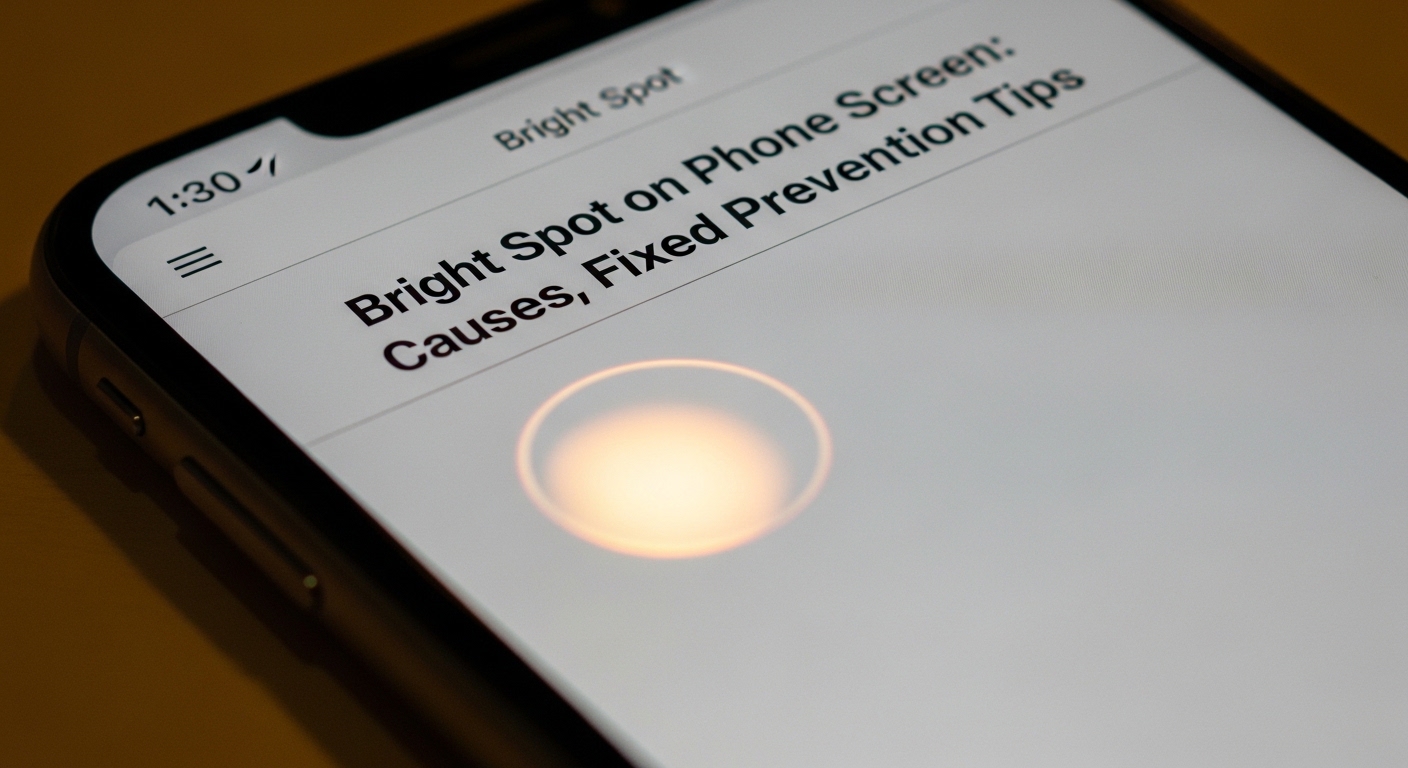
A bright spot on phone screen can be both distracting and concerning for users, as it often affects display quality and overall user experience. These bright spots typically appear as small areas of unusual brightness that stand out from the rest of the screen. While they may seem like minor issues, they can indicate underlying problems with the phone’s display hardware or software. Understanding why these spots appear, how to fix them, and how to prevent further damage is essential for maintaining a clear and consistent screen. Proper care and troubleshooting can help users extend the lifespan of their devices.
What Causes a Bright Spot on Phone Screen
A bright spot on phone screen usually occurs due to uneven backlighting, pressure damage, or pixel issues. In LCD screens, the backlight may leak in certain areas, producing a noticeable bright spot. OLED and AMOLED displays can also develop bright spots due to stuck or overactive pixels. Physical pressure, such as dropping the phone or pressing too hard on the screen, can damage internal components and cause localized brightness changes. Software glitches or display calibration errors may also contribute to the appearance of bright spots. Identifying the root cause is the first step toward effective repair or adjustment.
Types of Bright Spots on Screens
Bright spots on phone screens can appear in several forms, including stuck pixels, pressure marks, or backlight bleeding. Stuck pixels remain illuminated in one color and may create a tiny, concentrated bright spot. Pressure marks occur when force applied to the screen damages layers of the display, resulting in a slightly larger bright area. Backlight bleeding is more common in LCD screens, where uneven illumination produces a soft bright patch near the edges or corners. Understanding the type of bright spot helps in selecting the appropriate solution, whether it involves software fixes, gentle pixel repair techniques, or hardware replacement.
Diagnosing the Problem
Diagnosing a bright spot on phone screen involves visual inspection and simple tests. Users can display a solid color image or a white screen to locate irregularities and determine the size and intensity of the bright spot. Pixel testing apps can help identify stuck or dead pixels. Checking for recent physical impact, pressure marks, or exposure to heat can reveal external causes. If the issue persists across multiple applications or after restarting the device, it is likely a hardware-related problem. Accurate diagnosis is essential to decide whether the bright spot can be fixed at home or requires professional repair.
Simple Fixes for Minor Bright Spots
Some minor bright spots can be addressed through simple troubleshooting methods. Gentle screen massages using a soft cloth or specialized tools may help release pressure that causes temporary bright spots. Software-based pixel repair apps can rapidly cycle colors to attempt unsticking individual pixels. Restarting the device or performing a factory reset may resolve issues caused by software glitches. While these methods do not guarantee success for all bright spots, they are safe first steps before seeking professional intervention. Users should avoid excessive pressure or DIY disassembly to prevent further damage.
Professional Repair Options
When a bright spot on phone screen persists despite troubleshooting, professional repair may be necessary. Technicians can replace damaged LCD or OLED panels, recalibrate displays, or address backlight issues. Screen replacement is often the most effective solution for permanent or widespread bright spots, especially after physical damage. Professional services ensure proper handling of delicate display components and prevent additional problems such as water damage or electrical shorting. Consulting an authorized repair center helps maintain device warranty and ensures that high-quality replacement parts are used.
Prevention Tips for Bright Spots
Preventing a bright spot on phone screen begins with careful handling. Avoid placing heavy objects on the device, dropping it, or pressing the screen excessively. Using a quality screen protector and protective case can reduce the risk of pressure damage. Limiting prolonged exposure to high heat or direct sunlight helps prevent backlight and pixel issues. Regularly updating the phone’s software ensures optimal display calibration and reduces software-related brightness anomalies. By taking preventive measures, users can minimize the chances of bright spots developing and maintain a clear, vibrant screen for longer.
Understanding Display Technology
Different phone screen technologies react differently to potential causes of bright spots. LCD displays rely on backlighting and are more prone to uneven brightness and backlight bleeding. OLED and AMOLED screens have self-emissive pixels, making them susceptible to stuck or overactive pixels, which can appear as bright spots. Knowing the type of display helps users understand the risk factors and repair approaches. For instance, OLED bright spots may require pixel recalibration or panel replacement, while LCD issues often involve backlight adjustments. Understanding technology enables informed decisions about troubleshooting and repair.
When to Replace the Screen
Screen replacement becomes necessary when a bright spot significantly affects visibility or usability. Persistent bright spots, especially those caused by hardware damage or dead pixels, cannot always be repaired with software solutions. Replacement ensures uniform brightness and restores the device’s visual performance. Users should weigh the cost of repair against device value and consider professional replacement to preserve warranty and functionality. Timely replacement also prevents the issue from worsening or spreading to adjacent areas. Choosing quality parts and experienced technicians guarantees a reliable and lasting solution.
Monitoring and Maintenance
Ongoing monitoring and maintenance can help prevent bright spots and extend the lifespan of phone screens. Regularly inspecting the display for irregularities, avoiding pressure and extreme heat, and keeping the software updated are effective preventive steps. Users can occasionally use pixel testing tools to detect early signs of stuck or malfunctioning pixels. Maintaining proper care habits ensures the screen continues to perform optimally and minimizes the risk of developing bright spots. Proactive maintenance helps avoid costly repairs and preserves the visual quality of the device over time.
Conclusion
A bright spot on phone screen can indicate minor pixel issues or more serious hardware problems, but understanding the causes and solutions allows users to address the issue effectively. From simple troubleshooting to professional repair, multiple approaches can restore screen quality and maintain device performance. Preventive measures, proper handling, and ongoing maintenance help reduce the likelihood of bright spots developing in the future. By staying informed about display technology and care practices, users can enjoy a clear, vibrant screen and extend the life of their phone.